BundleHunt's First Sale of 2026 Is Live - Lifetime Licenses Only
The first BundleHunt
sale of 2026 kicked off today. This round is focused entirely on
lifetime licenses - no one-year subscriptions or short-term trials
disguised as deals. Update eligibility for major or minor releases still
varies by app, so always check the fine print before buying.⌘
In tech, big names rise fast and disappear just as quickly. When a
company sticks around for well over a decade, there's usually a reason.
BundleHunt has been doing its thing since 2010, offering a different
twist on software bundles: you build your own. That means you're not
forced into buying 30 apps just to get the three you actually want.⌘
Over the years, they've built a decent reputation for fixing problems
when a purchase doesn't work out, and I've picked up a few solid tools
there myself - including Keyboard Maestro, Mountain Duck, and Downie.
The catalog always includes lesser-known apps too, which is both fun and
dangerous. Affordable software has a way of convincing you that you
suddenly need something you'll never open again. Discipline
required.
Apps I Can Personally Vouch For
These aren't just random listings - they're legitimate contenders in
their categories.
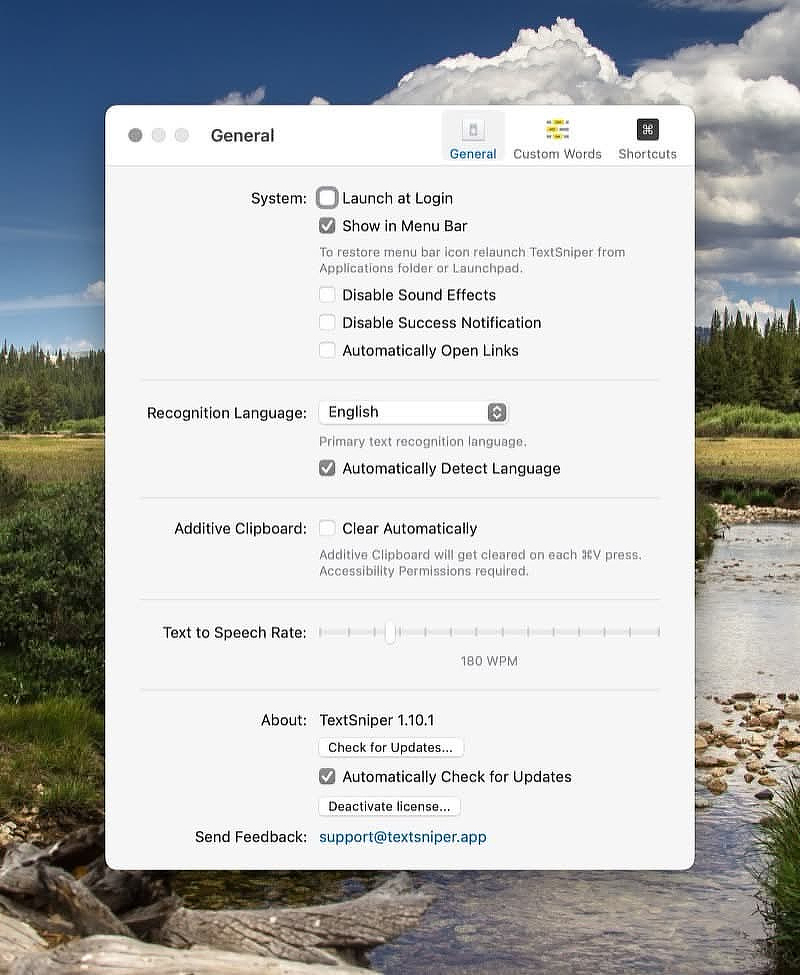
TextSniper is one of
those deceptively simple utilities that ends up becoming part of your
daily workflow. It's an OCR tool that lets you grab text from almost
anywhere: videos, PDFs, presentations, screenshots, online courses -
basically anything visible on your screen.⌘
Draw a box around the text and it captures it. Rotation, odd angles, and
shadows usually aren't a problem. There's a handy option to remove line
breaks automatically, and an additive clipboard mode that makes
multi-step capture painless.
Real-world use case: grabbing command output from a video tutorial or
copying text from an app that inexplicably doesn't allow selection.
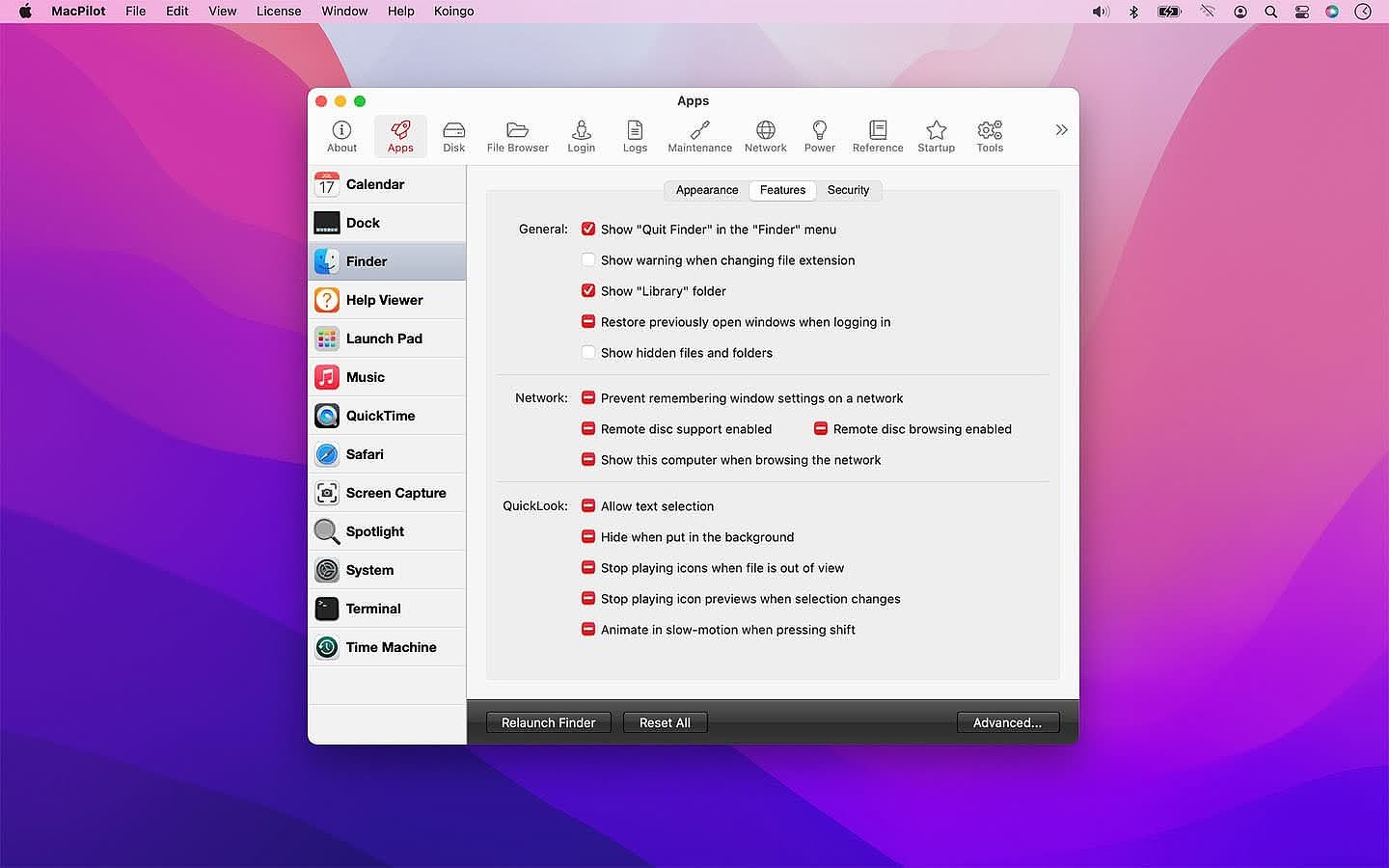
MacPilot is a system-tweaking utility with an almost absurd number of
options - over 1,100 tweaks at last count. Think of it as a centralized
control panel for settings Apple hides or spreads across plist files and
command-line flags.
A few examples of what it can do:
Calendar: change default event duration
Dock: enable single-app mode or window previews
Finder: enable "Quit Finder"
Launchpad: reset layout and control rows/columns
Music: enable half-star ratings
QuickTime: remember open movies on quit
Safari: restore backspace navigation
Screen Capture: change default file type
Spotlight: rebuild index
Terminal: focus follows mouse
Time Machine: disable automatic backup prompts
Power users will appreciate having everything in one place instead of
hunting down obscure terminal commands.
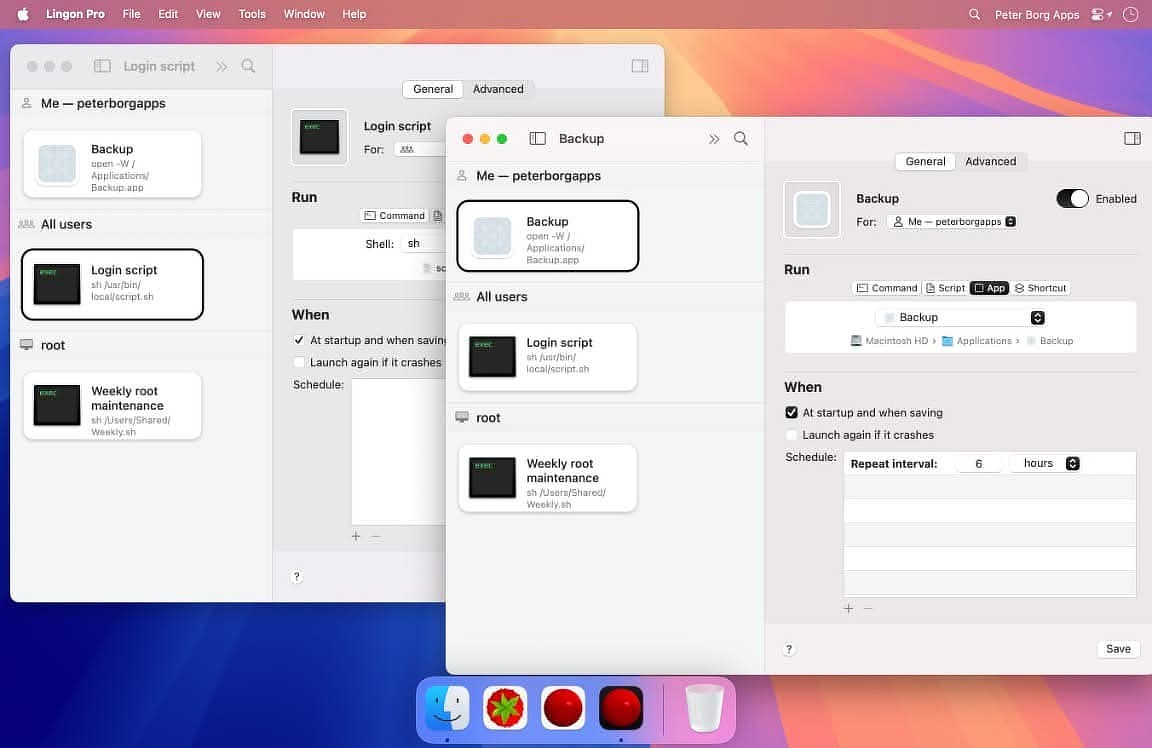
Lingon Pro has been around for more than two decades, which is
practically geological time in Mac utility years. It remains one of the
best GUI front-ends for launchd - the scheduling and background-task
system built into macOS.
You can create jobs that run:
whether your Mac is awake or asleep
whether you're logged in or not
with elevated privileges when needed
using keep-alive rules to restart failed tasks automatically
If you run scripts, backups, or maintenance tasks behind the scenes and
don't want to babysit cron files or plist syntax, this is one of the
cleanest ways to do it.
Infinidesk tries to solve desktop clutter by letting you create multiple
desktop environments, each with its own files, folders, and wallpaper.
Two modes stand out:
Classic Mode - one project-focused desktop across all Spaces
Follow Spaces Mode - desktop contents change automatically as you switch Spaces in Mission Control
If your Mac desktop becomes a dumping ground by noon every day, this
could be a surprisingly practical way to enforce structure without
changing your habits.
Rocket Typist has developed a loyal following fast. It's a text
expansion and snippet manager that regularly comes up in discussions
alongside TextExpander and Typinator - usually because it adds a few
modern touches those veterans don't emphasize.
Highlights include:
folders for organizing snippets
support for plain text, rich text, code, images, and AI-generated snippets
strong search and filtering for large libraries
If you live in repetitive text - support emails, documentation, or code
templates - tools like this pay for themselves quickly.
Bundle sales live in that weird intersection between smart bargain
hunting and impulsive software hoarding. The build-your-own model helps
keep things sane, but the temptation to pick up "just one more app" is
very real. Some might say it's an addiction.⌘
The practical approach: start with a specific workflow problem you're
trying to solve. If an app clearly fits that need - great. If not, leave
it in the cart and walk away. Your future self will thank you.⌘And if you're the kind of Mac user who enjoys experimenting without
committing to subscriptions, this is one of the cleaner opportunities to
stock up without the recurring-cost hangover.