I'm currently covering apps on sale at BundleHunt. A lot of
these are new to me, and the steep discounts make it a good time to fill
gaps in your Applications folder without paying full retail.
I've never understood why, given its resources, Apple still leaves
obvious friction points in macOS.
Take battery levels. Most of us are running Bluetooth
keyboards, mice, trackpads, and of course battery-powered laptops. Yet
macOS still makes you dig around System Settings to see what's about to
die. That feels like a solved problem.
Or window management in Mission Control. I use it
dozens of times a day to move windows between Spaces and displays. It's
powerful--but incomplete. There's no way to close a window directly from
that view. That omission is hard to justify when third-party developers
solved it years ago.
Then there's local music management. With subscription
fatigue and algorithmic sludge everywhere, more people are curating and
managing their own libraries again. Apple Music works fine for
streaming, but as an ID3 tag editor and metadata tool, it's clumsy at
best. Keeping album art and tags clean shouldn't feel like archaeology.
And finally, Font Book. It looks capable at first
glance. Spend five minutes using it seriously and you'll notice what's
missing: meaningful comparisons, smart organization, and
workflow-friendly tools.
The good news: each of these problems has a small, inexpensive fix
available right now on BundleHunt.
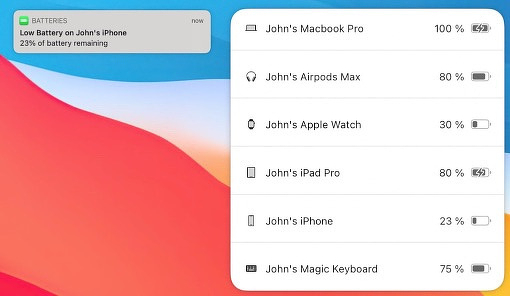
Batteries for Mac
Batteries for Mac
Batteries for Mac is $2
during the sale (normally $8.99). It shows battery levels for iPhones,
keyboards, mice (including third-party), MacBooks, and AirPods.
You can monitor everything from the menu bar or use its desktop widget
for a heads-up display. No digging through System Settings. If you've
ever had a keyboard die mid-sentence or a mouse quit during a screen
share, you know why this matters.
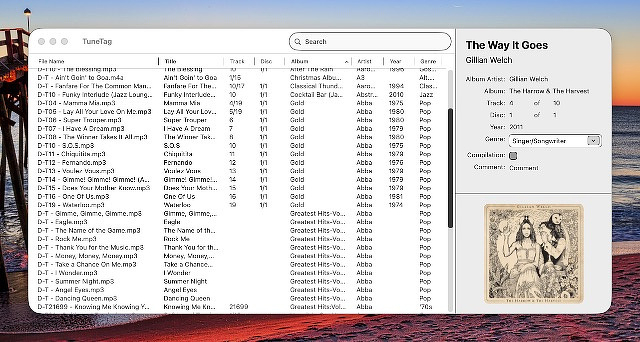
TuneTag
TuneTag
Stop fighting Apple Music for metadata control. For $0.50 (normally
$4.99), TuneTag
gives you a focused ID3 editor that does one job well.
It supports:
Direct metadata editing
Incrementing track numbers
File renaming based on custom patterns
Templates for consistent tagging
If you manage a local library--especially anything ripped, imported, or
sourced outside Apple's ecosystem--this saves time and frustration.
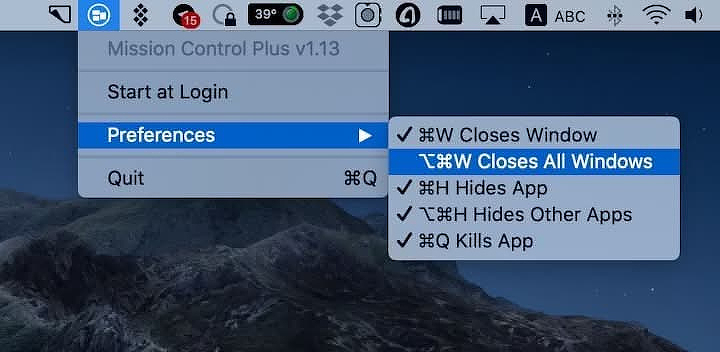
MIssion Control Plus
Mission Control Plus
Mission Control
Plus fills in the gaps Apple left. For $2.50 (normally $8.99), it
adds:
An X button to close windows directly inside Mission Control
Keyboard shortcuts for closing, minimizing, quitting, and more
If you live in Spaces, this turns Mission Control from a viewer into a
control surface. It's one of those small upgrades that compounds over
time.
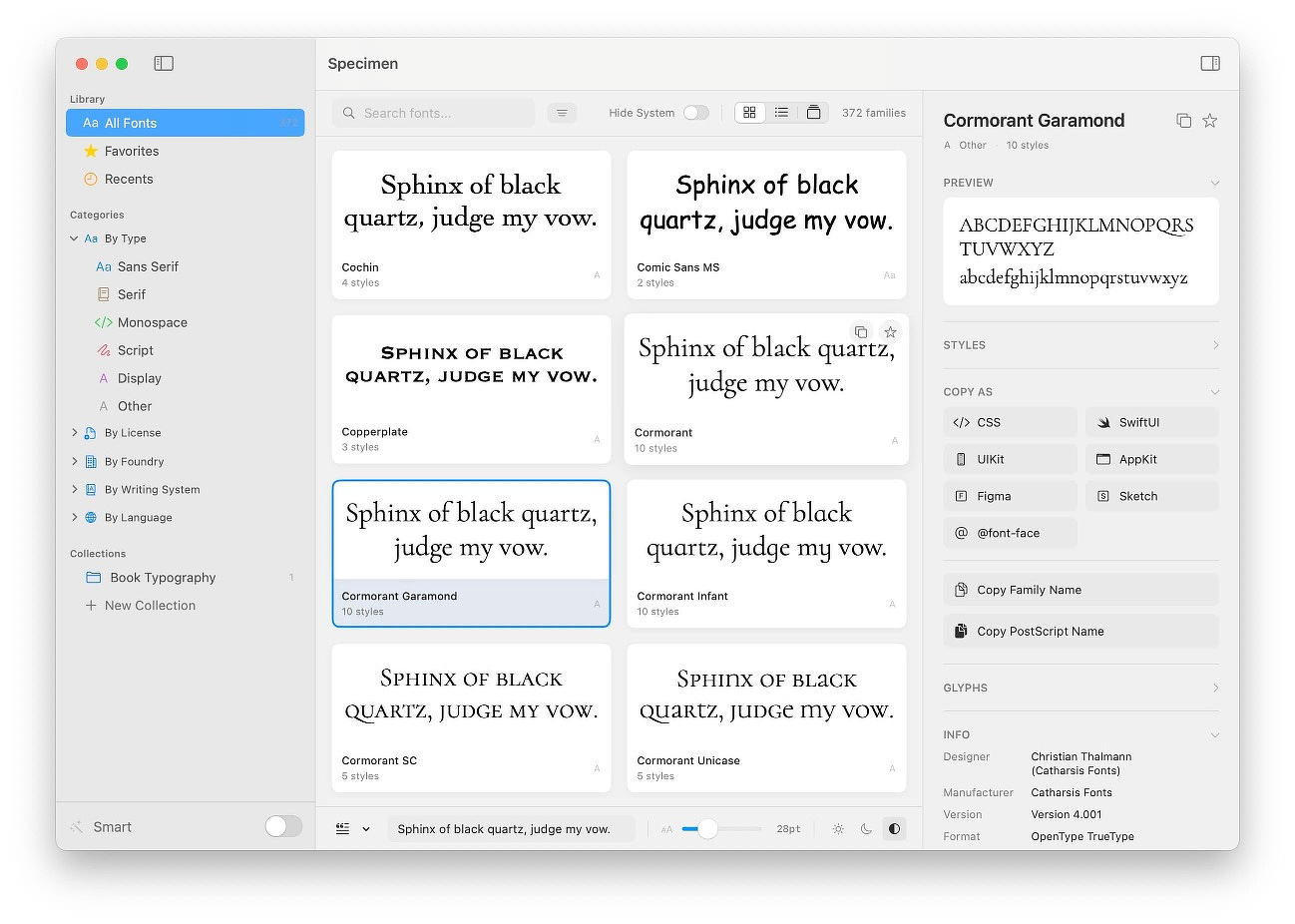
Specimen
Specimen
For $2.50 (normally $29), Specimen is a serious upgrade over
Font Book.
It lets you:
Browse and organize fonts intelligently
Compare fonts side-by-side
Run font health checks
Preview variable fonts
Export PDF specimens
Generate developer-friendly font declarations in multiple formats
If you care about typography--whether for writing, web work, or client
projects--this feels like a professional tool rather than a system
afterthought.
None of these apps are flashy. They fix specific, practical annoyances.
That's exactly the kind of software I like to support--tools that
respect your time and improve real workflows instead of selling you
abstractions.
If you've been meaning to tighten up any of these areas in macOS, this
is a cheap way to do it.