
Radial 4 Works Best as an Automation Hub
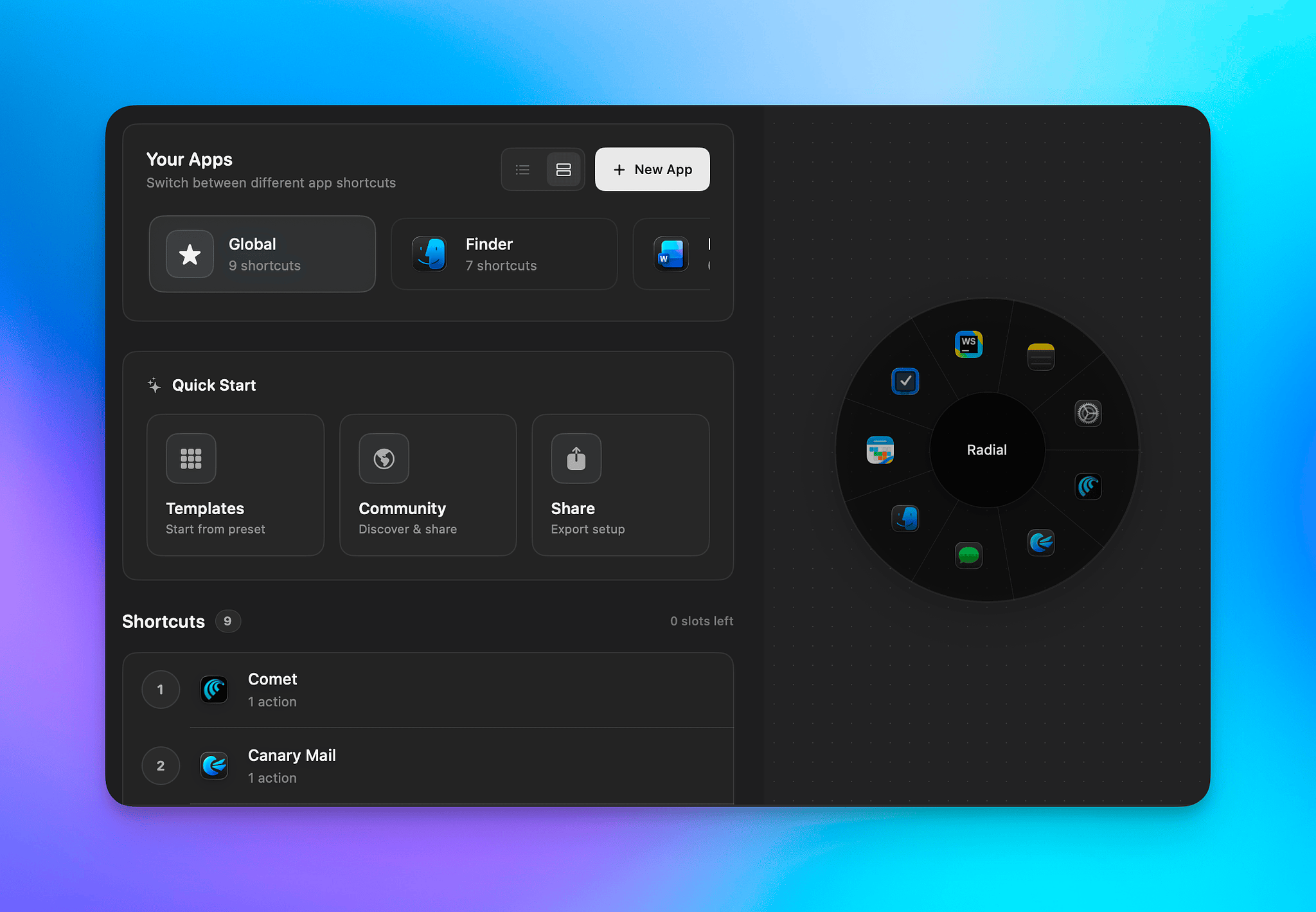
I spent the afternoon experimenting with Radial 4, a rapidly evolving pie-menu app from independent developer Gustav Lubker of AppVerge. If you’re not familiar with pie menu apps, they present a circular menu divided into sections (or slices), each representing an action or command. When configured well, they map naturally to muscle memory and can be extremely fast to use.
Other pie-menu apps I've used include:
Interface
In Radial, pie menus can include the following types of actions:
- Input
- Keyboard Shortcut
- Text
- Clipboard
- Open
- Open App
- Open File
- Open URL
- Scripting
- Apple Shortcut
- AppleScript
- Shell Script
- Keyboard Maestro
- System
- Window Management
- System Control
The only obvious thing missing right now is deep-link support for tools like Raycast and similar command launchers.
Some Use Case Ideas
Categorized Launchers
Radial is much more than an app launcher, but it works well for that role. You can create multiple menus and switch between them once a Radial menu is invoked with a keyboard shortcut or mouse gesture. One practical approach is to build menus around categories of apps you use regularly.
Examples:
- Browsers – Safari, Chrome, Firefox, Dia, Vivaldi, Orion
- Utilities – Emoji Picker, Keka, PastePal, Updatest
- Writing – Drafts, Obsidian, LibreOffice, Dictionary
- Graphics – ImageOptim, Consul, Immich
This kind of grouping works well because the direction of the slice becomes the memory trigger rather than the app name.
Consistent Application Menus
Radial calls menus that are available everywhere global menus. It also supports context-aware menus that appear only in specific apps or groups of apps.
Because Radial includes a template feature, you can create menus that behave consistently across your main working apps. Anything that can be triggered with a keyboard shortcut can live in the menu.
If you place common commands in the same slice position across multiple apps, muscle memory kicks in quickly.
Examples of commands that translate well across apps:
- New – note, document, macro, shortcut, etc. (⌘N)
- Settings – quick access to preferences (⌘,)
- Search / Search and Replace (⌘F and ⌥⌘F)
You can still add app-specific commands; just keep their placement consistent so your muscle memory stays intact. I created Radial menus for Safari, Things, Obsidian, and Drafts using this approach.
Automation Hub
Where Radial really shines is as an automation hub.
Instead of launching apps individually, you can trigger an Apple Shortcut or a Keyboard Maestro macro that launches an entire workspace with a single click. A second action can close the same apps when you’re done.
If you combine this with a window manager like Rectangle or Snaps of Apps, you can go even further and launch apps on specific displays and in specific Spaces with windows already arranged.
Another useful trick is reducing menu-bar clutter. Many utilities can have their core actions exposed through a Radial menu instead of living permanently in the menu bar.
Examples of apps that work well this way:
- CleanShot X
- Shortcuts
- Rectangle
- Keyboard Maestro
- Side Notes
I also adapted my morning checklist into a Radial menu using a mix of actions:
- Opening several daily websites in specific browsers
- Checking new email across three mailboxes
- Launching social media through the apps I actually use
- Opening Sync Folders Pro and Smart Backup to verify my auto-archiving workflows for photos, music, ebooks, and video
- Sending a predefined prompt to ChatGPT that generates my daily report
- Logging into my self-hosted server for routine health checks
Once it’s set up, everything can be accessed from a single menu instead of hunting through menus, booksmarks and other launchers.
Details
Privacy Policy
I couldn’t find a formal privacy policy on the AppVerge website beyond a statement that AI queries are not retained.
Radial includes an AI feature powered by Groq that can generate actions automatically. I don’t use services tied to X or Groq, so I didn’t test this feature. Ideally, future versions will support additional providers.
Radial is developed in Denmark, which means it falls under EU privacy regulations.
Price
Radial offers a seven-day free trial. The full license costs €14.99 and covers five seats, which is fairly generous for a utility in this category.
Website
Radial’s website includes solid documentation and clear explanations of how the system works.