
DockDoor Pro - The Dock Apple Wouldn't Build
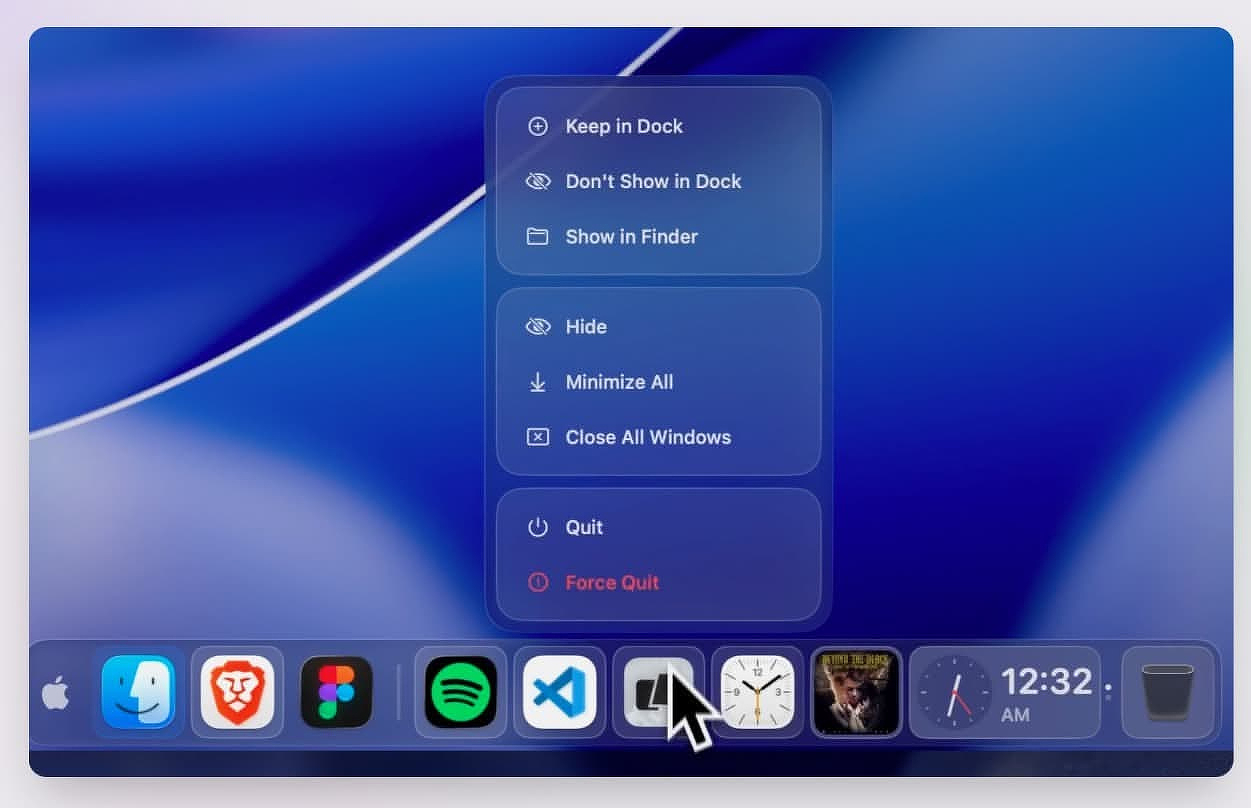
When the free app DockDoor was released in 2024, it was the first time I had seen a developer add window previews to the Mac Dock in much the same way that other operating system from Redmond handles them. For kicks, it also included a Windows-style application switcher, also free.
I have been updating some older reviews, so I went back to check on DockDoor. Not only does the original free version still exist, but the developer has also added a paid Pro version with a much larger feature set.
The splash page for DockDoor Pro puts its claim front and center:
DockDoor Pro - The Dock macOS Deserves
The official native Mac dock replacement with profiles, live window previews, media controls, a file tray, magnification, and everything Apple left out.
That is bold, but defensible.
What It Does
The real question with any Dock utility is whether it replaces the native Dock or merely augments it. DockDoor Pro can do either. I hid the native Dock completely and did not run into any problems.
The other killer feature, and one Apple will probably never give us for fear of waking the ghost of Steve Jobs, is the ability to exclude a running app from the Dock. You no longer have to stare at every app just because it happens to be open.
Dock Profiles - I work in multiple contexts. Some of my time is spent testing software and writing reviews. For that, I need quick access to a file manager, an uninstaller, Activity Monitor, Drafts, Obsidian, my Downloads folder, the folder where I keep rough drafts, the folder where I keep archives, and Reddit.
DockDoor Pro profiles can include:
- Pinned apps
- Folders
- Files
- Widgets
- URLs
- Design elements, including separators and spacers
When I switch to media management, I need a different setup: Calibre, Swinsian, Yate, digiKam, & ToyViewer.
When it is time to do research or just relax, I want Inoreader, FreeTube, Plex, Radarr, Sonarr, and websites like Mac Menu Bar and AlternativeTo.
DockDoor Pro gives you two ways to switch profiles. The easiest is to associate a specific app with a profile. When you open an app tied to another workflow, the Dock profile changes automatically. If you work with multiple monitors, you can also assign different Docks on a per-display basis.
One welcome feature is the ability to export Dock profiles as JSON. That makes it easy to move a setup to another Mac or keep a restorable backup in case an experiment goes sideways.
Control Panel - Each Dock contains a tiny icon that opens a control panel when long-clicked. It consolidates an app launcher, profile switcher, volume slider, audio device picker, and power controls. It is a well-designed bit of UI rather than a pile of bolted-on buttons.
File Tray - If you keep your Dock at the bottom of the display, scrolling on it reveals a file tray. You can drop files there temporarily, drag them back out when you need them, or send them via AirDrop directly from the tray.
Widgets - DockDoor Pro also includes small widgets that add live tiles directly to the Dock, including weather and system stats. They stay compact at rest and expand with more detail on hover. They also adapt to the Dock's design, so they do not look like afterthoughts.
The music widget is almost an app within the app. You get album art, a seek bar, and synchronized lyrics with a karaoke-style anticipation offset. Whether that is useful or just fun depends on how you work. I do not need lyrics in my Dock, but I understand the appeal.
Customization
This is the least opinionated Dock app I have used. If you are not inclined to fiddle, it looks fine out of the box. If you like to experiment, you can control almost every visible part of the UI, including:
- Color
- Spacing
- Padding
- Background
- Shape
Conclusion
DockDoor Pro is still in beta, and there is a warning not to use it on a mission-critical machine, so do not install it on your boss's MacBook and blame me if something gets weird. That said, I have not encountered any instability after two weeks of constant use.
This is an app best suited for power users, especially those with multi-monitor setups or workflows that shift throughout the day. If you use the same five apps all the time and do not care about customizing your workspace, you can probably skip it. But if you have ever wanted the Dock to be more useful, more contextual, and less stubbornly Apple-like, DockDoor Pro is worth a look.
DockDoor Pro Website - DockDoor Pro - Official macOS Dock Replacement
Privacy Policy - DockDoor Pro | Privacy Policy & EULA
Price - $20