Airspace: A Polished Fix for a macOS Friction Point
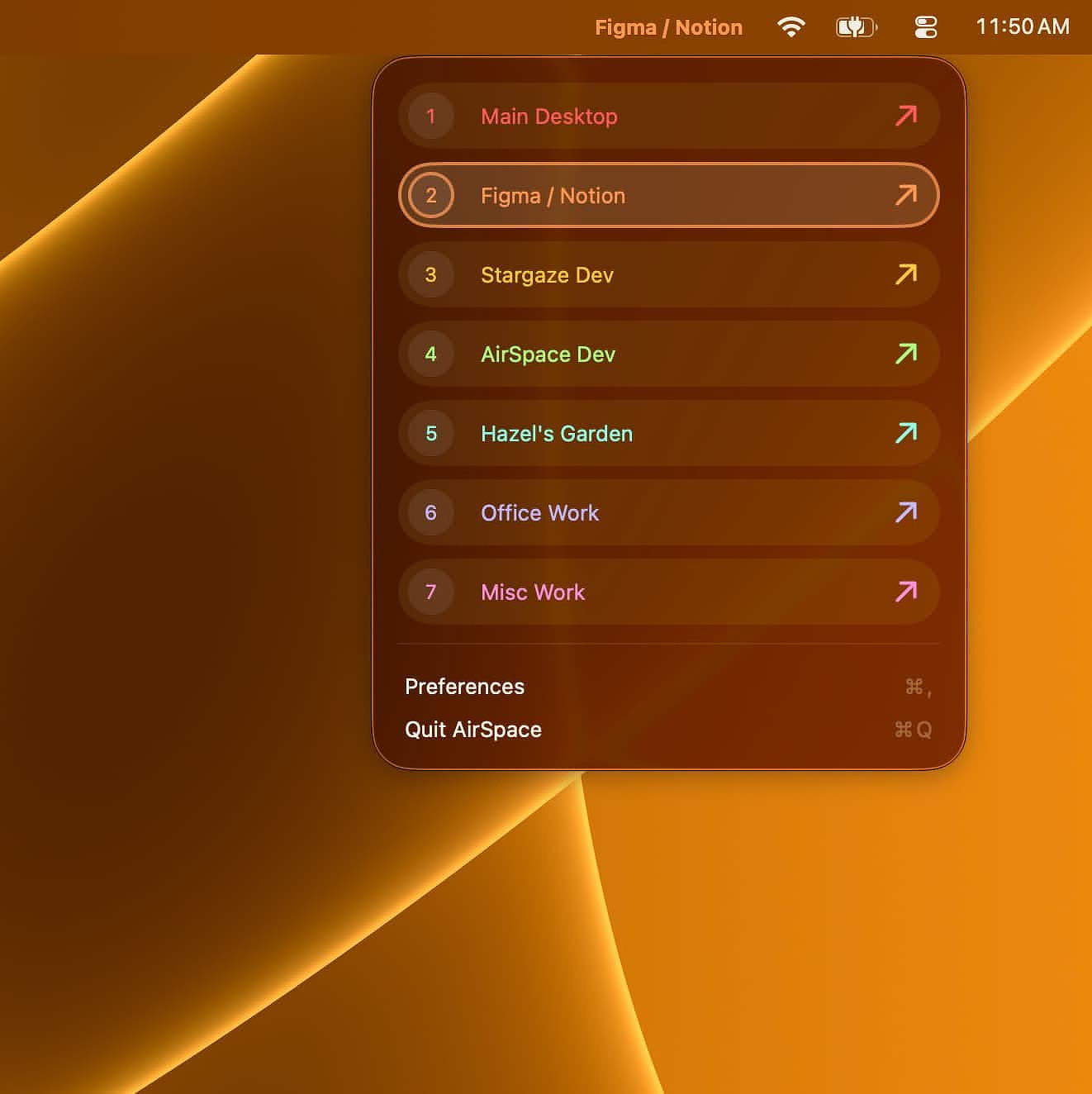
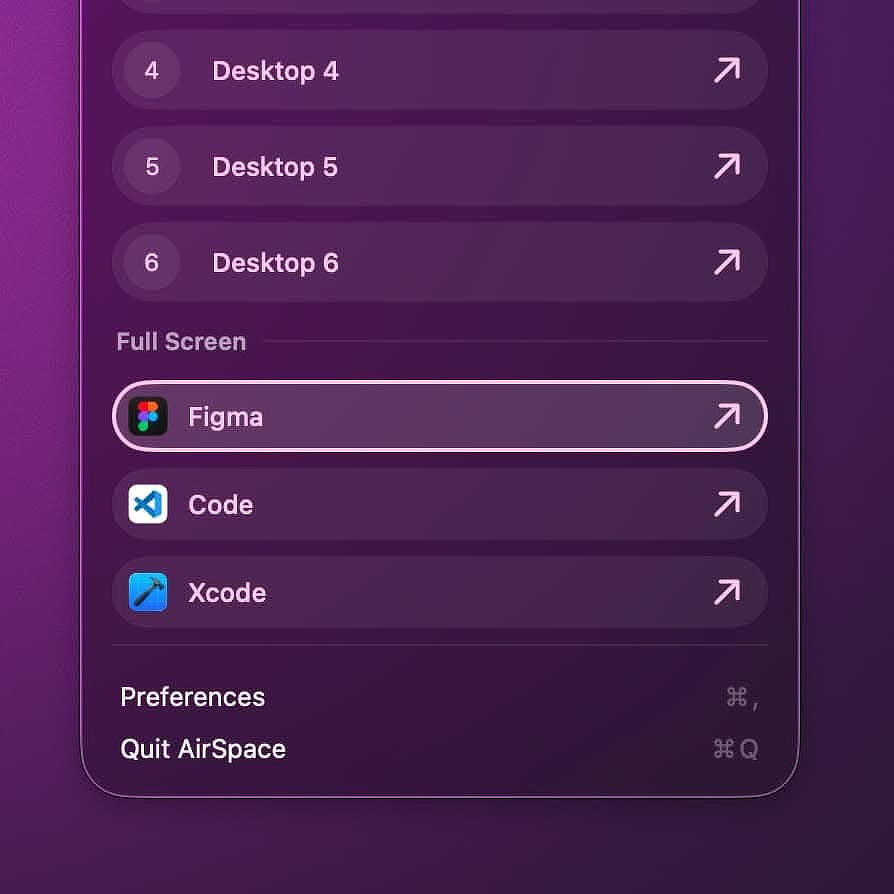
Airspace, an app I downloaded today, has a lot going for it. It removes a classic Apple friction point by letting you name your virtual desktops, customize their appearance, and assign keyboard shortcuts to jump between them. It also helps me illustrate a point.
Making a decision about the right price for an app has to be one of the hardest parts of releasing something new.
Some of the most versatile and useful apps in the Mac ecosystem are priced absurdly low. I am looking at you, BetterTouchTool. On the other hand, we have all seen apps with plenty of competitors that still carry what I consider an absurdly high price. My favorite example is the clipboard manager, Paste.
In reality, every software purchase comes down to what we value. Some people have strict requirements around aesthetics and would rather pay for polish than use something more functional. I think the ebook manager Calibre fits that description perfectly. I love it and use it every day for its incredible versatility, but it certainly is not easy on the eyes.
Two of my favorite notch apps show how wide the pricing spread can be. Droppy, which is not just a notch app but a full suite of utilities, costs 10 euro. Dynamic Lake, another app I like in this space, costs 40% more, still a fair price. It is well thought out and nicely designed, but it is much more narrowly focused on the notch.
There are personal factors, too. I live in the United States. I am retired. I have disposable income that I dedicate to buying software. I compensate by driving a 2005 Toyota and not playing golf like some of my contemporaries. But there are plenty of tech enthusiasts in less prosperous countries, students on tight budgets, and people for whom software pricing is a much more serious decision point than it is for me.
Now, more about Airspace.
Features
Custom Naming
Instead of Desktop 1, Desktop 2, and so on, you can have Writing, Development, Social, or whatever names fit the way you actually work.
Visual Personalization
You can choose custom colors for the menu bar indicator and switcher menu, making different Spaces easier to recognize at a glance.
User-Defined Shortcuts
You can assign your own shortcuts to switch between Spaces. If your writing tools live on Desktop 3, make Cmd+Option+3 the shortcut that takes you there.
Multi-Monitor Support
If you use a Mac mini or a laptop with an external display, you will appreciate that Airspace works across displays. It also handles selected full-screen apps, with one important exception noted below.
HUD Overlay
The current release supports a heads-up display switcher that shows your custom Space names and colors.
Selling Points
- No AI used in development, backed by documentation such as GitHub history, Figma files, and browser logs. Whether that matters to you depends on your stance on AI-assisted development, but it is refreshing to see the work documented transparently.
- Full-featured seven-day trial.
- Fully sandboxed and App Store approved, while still delivering the core functionality many users want.
- No tracking or data collection.
Caveats
- Because of public API limitations, Airspace does not track Spaces created by clicking the green traffic-light full-screen button. Those Spaces exist outside the normal Space registry and are not visible to Airspace. The developer is upfront about this.
- Onboarding is a process, not an event. If you use as many Spaces as I do, it takes a few minutes to get Airspace configured.
- There is no Mission Control integration. Custom names will not appear in Mission Control. That is an Apple limitation; Airspace cannot modify that UI. The workaround is to use Airspace's own menu bar indicator and HUD instead.
Similar Apps and Solutions
You can achieve some of what Airspace does with a Hammerspoon script or a Keyboard Maestro macro. There are also direct competitors like Spaceman and Contexts.
Aerospace, a tiling window manager beloved by people who like to fiddle, offers virtual workspace emulation that is similar in spirit, but it is not a true Spaces replacement.
Details
- Developer's website: https://hazels.garden/airspace
- Privacy policy: https://hazels.garden/privacy
- Price: $9.99
Bottom Line
Airspace is not trying to reinvent window management on the Mac. It's not a window manager at all.It is trying to make Apple's existing Spaces feature more usable, more readable, and faster to navigate. That is a narrow job, but it is a real one.
At $9.99, the price feels fair to me, especially if you already rely on Spaces as part of your daily workflow. If you only use one or two desktops, this probably will not change your life. But if you live across several named work contexts, Airspace turns a vague row of numbered desktops into something much closer to an actual workspace system.