
I spend a lot of time watching the free-software sites, and for a couple of years now one name keeps earning a click: WidgetWorx. There are currently 17 "unquestionably niche, but surprisingly useful apps" on offer, none of them more than $4.99. In a throwback to yesteryear, a few are fully functional donation-ware. Every app is signed and notarized. No subscriptions, no telemetry, no Electron bloat.
The developer answers support quickly and keeps the apps current with bug fixes and new features. You can tell he put real thought into each title, and I've used enough of them long enough to speak to whether they hold up. They do.
My Favorite WidgetWorx Apps
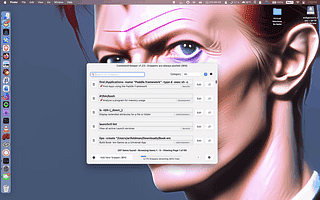
Command Keeper - A searchable, personal library you build over time: command-line snippets, shell scripts, SQL queries, even AI prompts, all a click away. That single click can insert a command or script straight into macOS Terminal, iTerm, Warp, Ghostty, or Alacritty. It lives in the menu bar, but it's useful enough that you'll want to memorize the keyboard shortcut. Once you've invested some time building your library, take advantage of the export (JSON or CSV) as a backup. A lifetime license is $4.99. If you're a try-before-you-buy person, you can use it as long as you like; it just shows a time-delayed nag screen on each launch until you enter a key.
Butterfly Collector - A well-thought-out app for tracking your software licenses, and a lot more than just license keys: version, publisher, category, cost, architecture, minimum OS version, platform, and plenty of other fields. If you use something like Hazel that relies on license files, you can attach those to the entry. Automation fans get 10 built-in AppleScript actions, and there's an import function from another WidgetWorx app, Revok. Once it's populated, you can crunch some sobering numbers on what your software habit actually costs. The nicest touch: renewal reminders, which double as a prompt to re-evaluate your stack. A lifetime license is $4.99, with the same try-before-you-buy mechanism as Command Keeper.
Revok - I'm a little meta about my software; I keep apps about apps, and this is the one I reach for most. Point it at your Applications folder and it scans in a few seconds, returning an almost absurd 171 attributes. Want to see how many Electron apps you're carrying? (I'm down to four.) Curious which framework a developer used? Short on space and looking for what can go? Revok has a "seldom used apps" category for exactly that, and it'll show you which apps installed login items. The user guide is worth a read for use-case ideas. One caveat: you need the Xcode command-line tools installed to use it. Revok is $3.99, works without a license, and gains features once you buy one.
Book 'em Danno - I have the ebook collection of a true data hoarder: 28K titles and counting. I manage my collections with a mix of tools, so when WidgetWorx released Book 'em Danno I imported everything just to see what would happen. TL;DR: it didn't break. Drag your ebook files right in; it handles EPUB, MOBI, AZW3, CBZ, and PDF, extracts the metadata, and builds a searchable database. You can add notes and ratings. If you think Calibre is too ugly to live with, Book 'em Danno covers a good chunk of that ground. Pair it with a free reader like Readest and you've got a genuinely capable setup. The app is free to use, but the developer asks for a donation.
Notcho Libre - There are some clever apps that put the notch to work, but that's cold comfort if you just want to be rid of the damn thing. Notcho Libre is a recently released free app that redraws your display so the notch disappears, and it does it without invasive permissions. Set it as a startup item and get on with your (notchless) business.
Other Free Apps
You can find all of these on the WidgetWorx website.
- DoD - Get word definitions on demand with this pop-up dictionary
- Stim - Keep your Mac awake on a schedule or while specific apps are open
- Disk-O - Monitor your built-in storage
- Menu Snappr II - A screenshot utility for capturing your screen, windows, and selected areas
- Menupedia - Bring Wikipedia into your Mac's menu bar
- A.B.M. Command - A retro-styled arcade defense game for players who like frantic action
DonationWare
- File Fingerprints - Run hash scans at scale with a security angle
- Quill - A menu bar-accessible notes app
Paid Apps
- MountBatten - Apply rules to external drives and disk images before they can mount on your Mac
- Trash Buddy Plus - A shortcut-friendly trash management app
- Unibrow - A task manager focused on speed, structure, and flexibility
- Breakin' - Break reminders throughout the day
Developer Q & A
How did you get started in app development?
During the winter 2020 COVID lockdown. I built a Spotify player that ran in the menu bar to pass the time. It leaked memory like a sieve, but the sense of accomplishment and creative fulfillment was addictive, so I kept at it.
WidgetWorx isn't your full-time job. What else do you do?
I'm a Product Manager at Unity, where I lead a small team focused on mobile game monetization. Over a long, unremarkable tech career, I've worked on everything from simple video games and ad systems to Google's contract management platform and tools supporting US national security.
Which developers do you admire?
Double-Click Software, a long-defunct Atari ST developer from my teenage years who built many elegant, lightweight tools. More contemporary inspiration comes from The Low Tech Guys, who make some really well-designed apps.
Which of your apps do you take the most pride in? Why?
I take pride in all of them to a degree, but if I had to choose: Notcho Libre, for being a surprisingly simple fix for the MacBook's notch; Book 'em Danno, because it does a good job managing your ebook catalog if you invest the time to learn it; and Revok, for the genuinely useful insight it gives users into what's installed on their Macs.
What are you working on next?
I'm trying to work up the motivation to start on Video Cat, a video cataloging app that will share a codebase with Book 'em Danno. That's on top of fixing bugs and adding features to my existing crop of apps.