
SmoothCSV: Finally, a CSV Editor That Doesn't Guess
SmoothCSV: Finally, a CSV Editor That Doesn't Guess
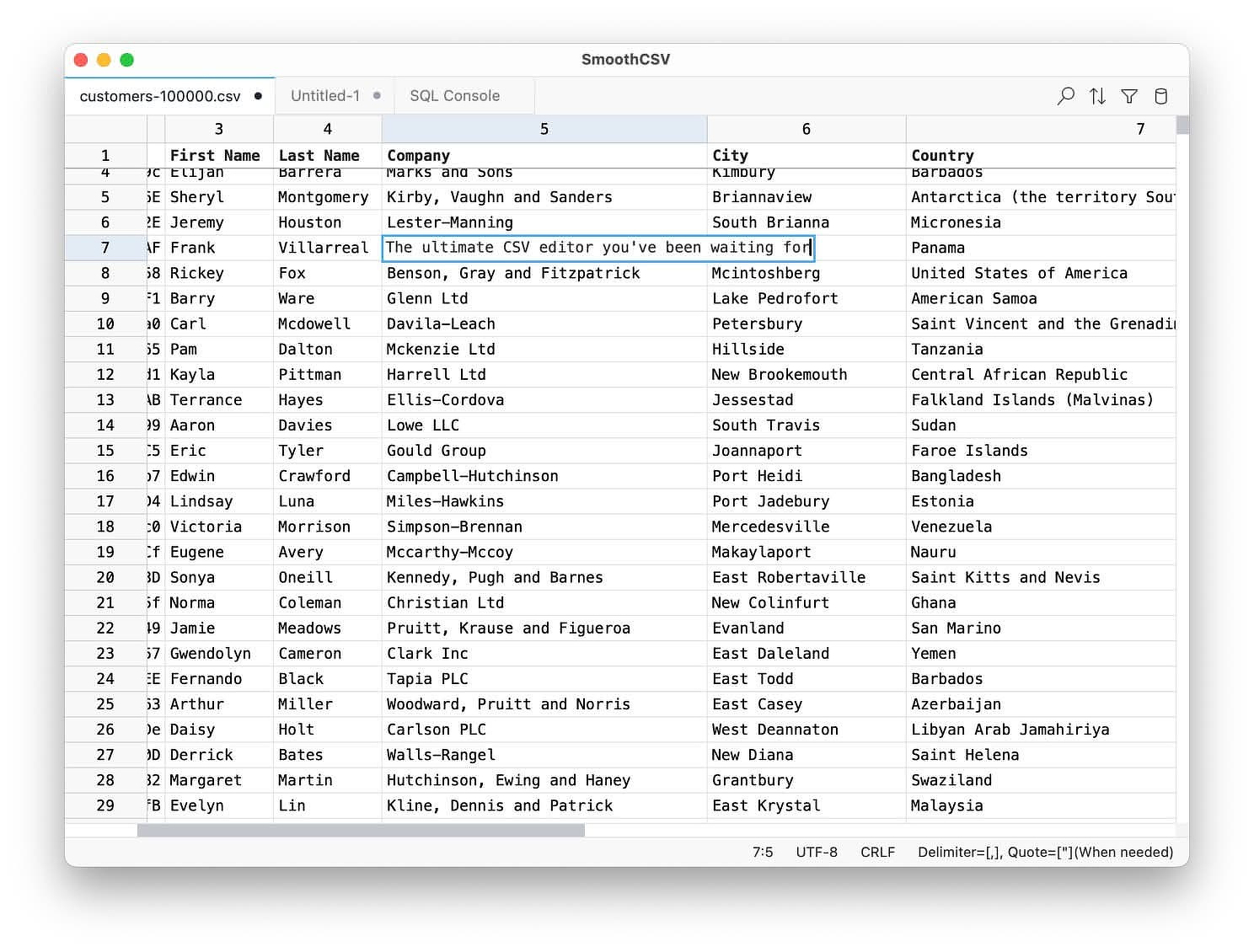
If you've ever had to search for "how to make Excel quit removing leading zeroes," I have an app for you. SmoothCSV won't turn some random number into a date and then refuse to change it back. In fact, it won't format anything unless you expressly tell it to. It doesn't try to be a lightweight spreadsheet; it's a grid editor, first and foremost. It leaves your data as it is, with no helpful "guesses" at what you might be trying to do. That's the pitch, and it's enough to make this my CSV editor for most tasks.
Here to Stay
The first version of SmoothCSV shipped in 2011. The current v3 release came out last year; it's a complete rewrite built on Tauri, which is why it weighs in under 80 MB and opens a 100 MB file remarkably fast. The dev claims it's 12x faster than Excel. I can't verify that number, but I have some genuinely huge CSV files and it never blinked when I threw them at it. Cheers for speed, and for not being another Electron monstrosity.
The Features That Actually Matter
Most of the feature list is what you'd hope for and rarely get in one place:
- A real grid editor with row and column tools: insert, delete, move, hide, dedupe.
- Find and replace with regex support.
- Filtering through either a visual condition builder or SQL-style expressions.
- Multi-column sorting by text, number, date, or length.
- Multi-cell editing, the way multi-cursor works in a code editor.
- A command palette, so you can drive the whole app without hunting through menus.
For those who live in CSV files, it also has extras that make it more than a text editor with a few tricks:
SQL Console: Run SELECT queries directly against your CSV. If you've ever exported a table just to ask it one question, this collapses that round trip into the editor.
Customizable file formats: Control delimiter, quotes, encoding, and line endings per file, with rules you can save and apply automatically. This is the fix for the semicolon-delimited, Latin-1-encoded, Windows-line-ending file that some other tool flatly refused to open correctly.
Copy/Paste As: Copy a range as Markdown, HTML, JSON, SQL, or LaTeX. Handy for documentation or moving tabular data between formats.
Excel import/export, aggregation, transpose, auto-fill, and a CLI: These round out the functionality. The CLI lets you launch a file and jump straight to a specific row and column, and smoothcsv:// deep links let you wire it into larger workflows.
Licensing I Respect
You can download and use the fully featured version of SmoothCSV from the dev's website, for as long as you'd like, with no limits. The occasional nudge to buy a license is non-modal on purpose, so it doesn't interrupt your work. Like a few other stalwarts (Shottr and Immich come to mind), it's the kind of app you end up paying for because you're grateful and want to support the developer.
Who It's Not For
It's closed source, though that may change one day. If you're FOSS-only, this isn't for you. And if you're after spreadsheet functionality, look elsewhere: formulas across a living workbook, charts, pivot tables, collaborative editing. This is the wrong tool, and it isn't pretending otherwise.
See Also
A few other CSV editors worth a look if this one doesn't click: