
7 Mac utilities I'd fight to keep, and what I actually use them for (not another 'best apps' list)
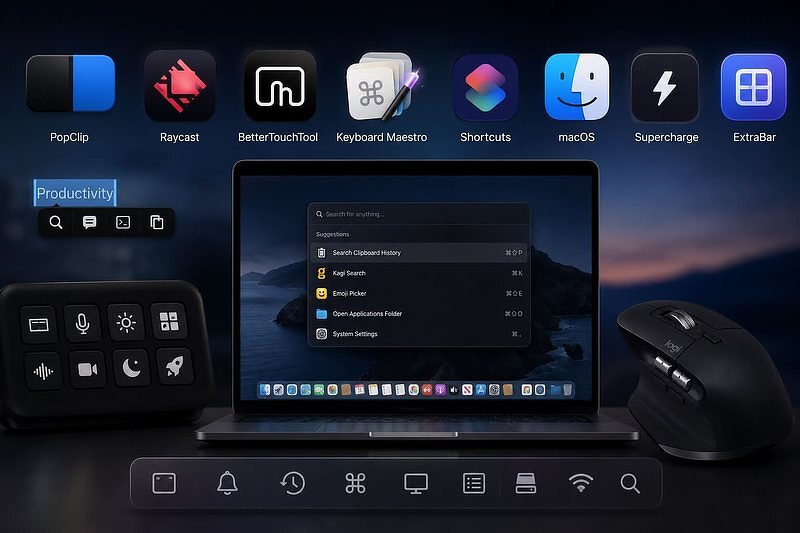
TL;DR: PopClip, Raycast, BetterTouchTool, Keyboard Maestro, Apple Shortcuts, Supercharge, and ExtraBar; concrete daily uses for each, not feature dumps. For people already comfortable on macOS who've hit a specific friction point (clipboard, mouse buttons, background-app switching) and want the tool that kills it.
One of the perks of working on a Mac: with a few painful exceptions, whatever workflow itch you have, some app already scratches it. The longer you're in this ecosystem, the more tweaks and hacks you accumulate, until the line between "native" and "third-party" gets blurry — the good ones just start to feel built in. These are apps I recommend constantly without always explaining why. So here they are: a few Mac powerhouses, and the specific things I actually use them for.
Popclip Performs actions on selected text
PopClip - A Must Have Productivity App
- Either script or use ChatGPT to write your own extensions for any website you search frequently. I have extensions for GoodReads, Anna's Archive and Kagi.
- Send text to Terminal, iTerm or Ghostty
- Add text to the clipboard without erasing what's already there — works multiple times in succession, so you can build up a batch before pasting
Raycast Spotlight Replacement with plugin architecture
How to Get The Most from Raycast
- Even with the huge selection of standalone clipboard managers, I always fall back to Raycast's for searchable categories, editing clips, pinning clips and more
- Shortcut combo for Kagi, my search engine of choice (⌘+k, enter a search term, press enter)
- Built in emoji picker is 🔥
BetterTouchTool Input controlled Mac automation
- No need for a separate app to program my 6-button Logitech mouse — extras include instant Mission Control, show-all-spaces, an application switcher, and a pie menu
- Completely replaced Elgato Stream Deck software (a security nightmare) with BTT, and it works even better
- Uses typed strings for triggers, not just hotkey combos, and it lets you use the Fn (globe) key — something Keyboard Maestro doesn't expose. I've programmed double-taps of all my modifier keys for special functions
Keyboard Maestro 30 different triggers for Mac automations
Keyboard Maestro, The App That Makes Everything Better - Tips for the Automation Curious
- Batch open and batch close apps to switch contexts
- Launch anything on a schedule with time of day triggers
- Mount and unmount selected groups of network drives with a hotkey
Apple Shortcuts Programming for non-programmers
Enhance Apple Shortcuts with These Apps
- Even more scheduled tasks:
- Create an Obsidian daily note and add weather and calendar events
- Build a daily CSV that combines web history from Safari and Firefox into one document
- Text every person in my address book on their birthday
- Run a weekly backup of all my shortcuts
macOS Many, many undocumented tweaks
- Make the dock disappear with no delay
- Make the library folder in my home directory always visible
- Change the default screenshot file type to jpg
Supercharge Huge collection of useful system tweaks
- Close all open apps
- Close everything in Notification Center at once
- Backup and restore the settings for any app, super useful with new computers
- Find out what keyboard shortcuts are in use
ExtraBar Puts anything you want to do into one always-available menu
WIP — Extra Bar Gets Extra Features
- Pick any running application from a list — including background ones — and restart it
- Mark all unread mail as read in Fastmail
- I'm currently running three displays and sixteen virtual desktops, and I keep a folder in ExtraBar with a shortcut to each one
Who this list is for
You already know your way around macOS and you're not looking for training wheels. You've hit some specific friction — clipboard chaos, a mouse with buttons doing nothing, shortcuts that only run when you remember to open the app — and you want the tool that kills it, not a tour of System Settings.
Who it's not for
If you're still getting comfortable with the Mac basics, most of this will feel like solving problems you don't have yet. Raycast's clipboard categories and BetterTouchTool's Fn-key double-taps are answers to annoyances you haven't accumulated. Start with the stock apps; come back when something specific starts bothering you.
Why these and not the alternatives
Every one of these replaces something clunkier: BTT over Stream Deck's software, Raycast over Spotlight and a half-dozen single-purpose clipboard managers, ExtraBar over hunting through Mission Control for a background app. None of them are novelties. They're in daily rotation because pulling any one out would put a specific annoyance back in my life immediately.