
Daily Skips the Timer Problem Entirely — Now It Talks to Your Other Apps Too
If you bill clients by the hour, it might be time to reevaluate your workflow. Daily, a Mac time tracker from independent developer Niels Mouthaan, continuously supported since 2013, just got a substantial update: a web API, a Zapier integration, and an MCP server. Because it works via user polling and not background process monitoring, it's the go-to privacy-respecting choice in its category.
Based on its review history, Daily enjoys broad support from tech professionals with ADHD and time blindness in particular, and plenty of neurotypical folks too. The human brain just isn't designed to do two things at once, despite all the hype about multitasking. Every timer-based tracker asks you to remember to press a button at the exact moment your attention shifts, which is precisely the moment you're least equipped to remember anything. You close a ticket, Slack pings you, someone walks in, and forty-five minutes evaporate into whatever bucket the timer was left running in. That's not a discipline problem. It's a design flaw.
Daily skips that requirement entirely. It doesn't watch your apps, your browser tabs, or your open documents. It just interrupts you on a schedule, asks what you've been doing, and lets you pick from a list. That's a different model from RescueTime-style automatic trackers.
Newest Features
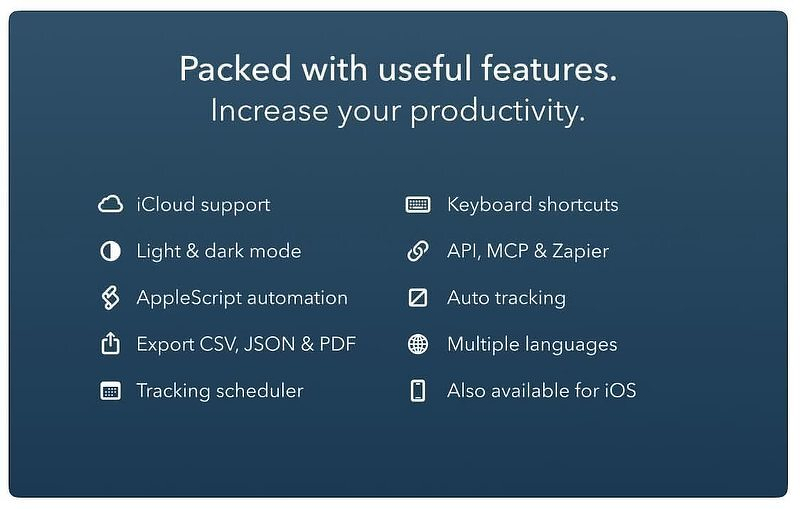
Daily has quietly had most of its bones (scheduler, AppleScript, iCloud sync to a companion iOS app, CSV/JSON/Toggl-format export) for years. The submission-worthy update is the integrations release, published June 26, 2026, which adds three ways to get data in and out:
-
A web API (
api.dailytimetracking.com) with endpoints for activities, summaries, and timesheets, authenticated by an API key you generate in preferences. - A Zapier integration, with triggers for new/updated time entries and actions to add activities or pull a summary or timesheet -- no code required.
-
An MCP server (
mcp.dailytimetracking.com), which the research note this post started from didn't even catch. This is the more interesting piece for this audience: it exposes tools likeget_summaryandget_timesheet, so an AI assistant or coding agent can answer "how many hours did I bill Client X in February" directly, or use your tracked hours as an input to a larger workflow.
The MCP piece comes with a caveat, and Daily's own docs say so plainly: it authenticates with a custom API-Key header instead of OAuth. Locally run clients like Claude Code, Cursor, and Gemini CLI handle that natively, but Claude's remote connector and ChatGPT's developer mode currently can't call it without a proxy like MCP Beast. If you're expecting a one-click Claude Connector, that's not there yet, and Daily says whether it ships one depends on how much the MCP server gets used.
The two-way workflow the developer pitched in his outreach (import Jira tickets as activities, then push logged hours back into Jira after the day is done) is a real automation, not a checkbox feature. Once you enable integrations in preferences, Daily syncs to its server every 15 minutes, at startup, at quit, and before sleep, and you control retention (default 90 days) from the same screen.
Who Daily Is For
If you're the kind of person who forgets to start a timer, or who resents having to remember to, and you don't want your Mac silently logging every app and URL to do it for you, Daily's prompt-based model solves that problem well. The new integrations turn it from a personal timesheet into a node in an actual workflow: tasks flow in from your project tracker, hours flow back out to invoicing or ticketing, without you retyping anything.
Who Should Look Elsewhere
If you want the tracking done automatically, with zero interruptions, Timing or RescueTime are built for that trade-off, and Daily explicitly isn't. And if the MCP server is the reason you're interested, know that it's aimed at technical users right now: no OAuth, no official Claude Connector, and you'll be running a proxy if your AI client doesn't support custom headers. That's an honest state to ship in for a first MCP release, but it's not turnkey yet.
Not For You? Try These Alternatives
Daily's category is prompt-based self-reporting, not automatic activity tracking, and that distinction changes what actually competes with it.
- Toggl Track is the closest thing to an industry-standard manual/hybrid tracker: free for small teams, Starter at $9/user/month, Premium at $14/user/month for the first year of an annual plan (renewing at $18), all per Toggl's own pricing page as of this writing. It has optional desktop activity tracking as a feature you opt into, which is the opposite of Daily's no-monitoring default.
- Timing is the automatic-tracking alternative: it watches apps, websites, and documents by default rather than asking. Per Timing's pricing page, it's tiered as Professional, Expert, and Connect subscriptions (Connect being the one with MCP and team features), with no lifetime option listed. If you want the machine to infer your activity instead of asking you, this is the one; if you want zero passive monitoring, it's the wrong choice.
- RescueTime is the other automatic-tracking name that comes up in this category, running in the background and logging app/site usage without prompting. Its cheapest individual plan (Solo Focus) is $9/month, or $7/month billed annually, per RescueTime's pricing page as of this writing.
Pricing
This is a professional tool, priced like one. Daily's Mac App Store listing currently lists in-app purchase tiers as Monthly $5.99, Quarterly $17.99, Yearly $34.99, and Lifetime $69.99. You'll see other prices quoted on other sites, but those sources appear to be dated.