
Six Free Utilities, Zero Subscriptions
TL;DR: Five free Mac utilities worth a look this week: a menu-bar fix for notification banners landing on the wrong monitor, a drag-and-drop media compressor, a keyboard-backlight scheduler, an unusually hard-to-skip screen-break app, a notch utility with AI-agent alerts, and a local-only document search tool that cites its sources.
The apps I have been testing this week include a couple of entries from someone whose Mac was doing X when they wanted it to do Y, so they built an app to make it do what they wanted. I wish I had those chops, although with AI, the days of being locked in to someone else's UI choices isn't the limiting factor it once was.
Make Banners Appear Where You Want Them
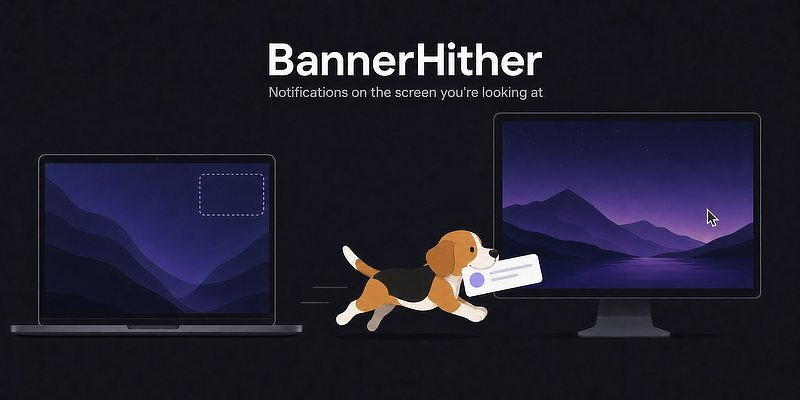
BannerHither — free. A small menu-bar utility solving one specific multi-monitor annoyance: macOS always shows notification banners on the "main" display, which in many multi-monitor setups isn't the screen the user is actually looking at. BannerHither redirects banners to the display in use.
Drag And Drop File Compression
Kompakt — free, open source (MIT). A compact Mac menu bar app for compressing and converting images (PNG/JPG/WebP/GIF/SVG) and video (MP4/MOV/M4V) by drag-and-drop — no file pickers or export dialogs, it appears the moment you drag media in. Distributed as a signed DMG off GitHub Releases.
Turn Off Keyboard Backlight on Demand
Nocturne — free, donationware (Buy Me a Coffee). A small menu-bar app that turns off the built-in keyboard backlight when you don't need it — all day, on a schedule, or from sunrise to sunset based on location — and hands it back untouched when done.
A Hard-to-Dismiss Screen Break Announcement
Screen Break — free. A menu-bar break-reminder app that opens a full-screen guided rest on every display when it's time to step away, deliberately designed to be hard to dismiss meaninglessly: a passcode unlocks an early rest, and manual restarts and temporary quits are limited. Configurable 30–50 minute work sessions with 5-minute rests, smart idle reset (doesn't count time already spent away from the computer), and busy auto-defer (detects media playback, calls, presentations, or full-screen work and holds off). Localized in seven languages. Distributed as a direct download.
A Free Multi-Featured Notch App Aimed at Devs
Notchly — free, open source (MIT). A macOS utility that turns the MacBook notch into an interactive "Dynamic Island"-style space: music controls (Apple Music/Spotify, including lock-screen controls), battery/charging status, volume/brightness indicators, swipe gestures, and focus-mode animations. Its standout feature is "Codex Alerts" — AI coding-agent notifications (Codex, and by extension tools like Cursor) that surface approval requests or completed-task alerts directly in the notch via a local Stop hook, aimed at developers who want passive status visibility without app-switching. Built natively in Swift/SwiftUI, signed and notarized, actively maintained.
Search Local Documents, Get Citations
Minna — free, open source. A local-first search index plus an AI assistant restricted to answering only from the user's own indexed documents on their Mac, with citations to a specific document for every claim. The developer describes it as a student's own answer to the "LLM makes things up" problem.